Business Model Canvas Examples From Real Startups (+ Blank Template)

A business model canvas fits your whole company on one page, which is exactly why it is useful and exactly why it is easy to fill with vague words. The examples below show what a filled-in canvas looks like when every box is specific: four well-known companies described from their own public filings, and three fictional startups at the stage you are probably at. You also get the nine blocks explained, a blank template to copy, and the steps for turning the canvas into the strategy section of a business plan.
- A Business Strategy chapter with Business Model, Key Resources, Key Activities, Key Metrics and Key Partnerships
- Customers, Marketing Channels and Customer Relationship sections for the right-hand side of the canvas
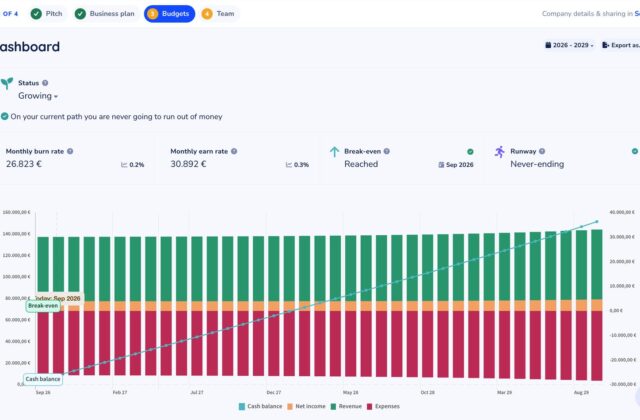
- A multi-year budget for revenue streams and costs, with charts that flow into your plan
The Business Model Canvas Explained
The Business Model Canvas was created by Alexander Osterwalder and Yves Pigneur and published in their 2010 book Business Model Generation, written with contributions from hundreds of practitioners. Strategyzer, the company Osterwalder co-founded, still distributes the official canvas for free. It describes a business in nine blocks: who you serve, what you offer them, how you reach them, how you earn money, and what it takes to deliver all of that.
The layout matters. On the right-hand side, the canvas covers customers and value: segments, value propositions, channels, relationships and revenue. The left-hand side is about the machinery behind it: key partners, activities, resources and costs. Sitting in the middle, the value proposition connects the two. The right side asks “who wants this, and will they pay?” The left side asks “can we deliver it at a cost that leaves a profit?”
For a startup, the canvas has three practical uses. Before you write a plan, it forces you to decide on every part of the model in an hour instead of a month. While you test the idea, it shows which box holds your riskiest assumption. And once you write the plan, each block maps to a section, so the canvas becomes your outline.
The nine blocks, one question each
| Block | The question it answers | What a specific answer looks like |
|---|---|---|
| 1. Customer Segments | Who are we creating value for? | Independent physiotherapy clinics with 1 to 4 therapists, not “healthcare providers” |
| 2. Value Propositions | What problem do we solve, and what do customers get? | Fewer empty appointment slots, filled automatically from a waitlist |
| 3. Channels | How do we reach customers and deliver the product? | Physiotherapy association newsletter, Google search, in-app referral |
| 4. Customer Relationships | What kind of relationship does each segment expect? | Self-serve with a 30-minute onboarding call |
| 5. Revenue Streams | What are customers willing to pay for, and how? | $150 per clinic per month, paid by card |
| 6. Key Resources | What assets does the model depend on? | Booking software, integrations with practice systems, clinic reviews |
| 7. Key Activities | What must we do well every week? | Product development, onboarding, reminder delivery |
| 8. Key Partnerships | Who do we rely on outside the company? | Text message provider, payment processor, physiotherapy associations |
| 9. Cost Structure | What are the biggest costs, and which rise with sales? | Salaries (fixed); hosting and text messages (variable) |
The questions are paraphrased. Strategyzer’s official canvas has its own prompts in each box and is free to download.

Blank Business Model Canvas Template
Copy this into a document or onto a whiteboard. The layout mirrors the canvas: partners, activities and resources on the left; the value proposition in the middle; relationships, channels and segments on the right; costs and revenue along the bottom.
| Key Partnerships | Key Activities | Value Propositions | Customer Relationships | Customer Segments |
|---|---|---|---|---|
| Who helps us deliver? | What must we do well? | What do customers get, and why is it better? | How do we win, keep and grow customers? | Who exactly are we serving first? |
| Key Resources What do we need to own or control? |
Channels How do customers find, buy and receive it? |
|||
| Cost Structure Largest costs; which are fixed and which grow with sales? |
Revenue Streams What do they pay, how often, and how? |
|||
Nine cells, one page. If a cell holds more than five short bullets, you have probably mixed two customer segments into one canvas.
We help [customer segment] by offering [value proposition]. We reach them through [channels] and keep them through [customer relationship]. They pay [price and model]. To deliver this we rely on [key resources], do [key activities] and work with [key partners]. Our biggest costs are [cost structure].
If you cannot write that paragraph without hesitating on one bracket, that bracket is where to spend the next week of research.
7 Business Model Canvas Examples
The first four examples describe well-known companies using only facts they state about themselves in their annual reports. They are summaries of public information, not the companies’ own canvases. The last three are fictional startups with illustrative numbers, closer to what your first canvas will look like.
1. Airbnb: a two-sided marketplace
| Block | Airbnb |
|---|---|
| Customer Segments | Two groups: guests looking for places to stay and experiences, and hosts who list homes and rooms |
| Value Propositions | Guests: a wide choice of stays, often whole homes. Hosts: income from space they already have, with bookings and payments handled for them |
| Channels | Website and mobile apps |
| Customer Relationships | Self-service booking, reviews on both sides, customer support |
| Revenue Streams | Service fees on bookings, calculated as a percentage of the booking value |
| Key Resources | The platform, the listings and reviews, the brand |
| Key Activities | Running the marketplace, processing payments, trust and safety, support |
| Key Partnerships | Hosts themselves, payment processors |
| Cost Structure | Product development, marketing, customer support, payment processing |
What to learn: a marketplace has two customer segments with two different value propositions, and both must be on the canvas. If you only describe the paying side, you miss half the business.
2. Spotify: freemium with two revenue streams
| Block | Spotify |
|---|---|
| Customer Segments | Free listeners, Premium subscribers, advertisers |
| Value Propositions | Listeners: music and podcasts on demand. Premium: no ads and extra features. Advertisers: reach an audience of listeners |
| Channels | Mobile, desktop and web apps, plus apps on speakers, cars and TVs |
| Customer Relationships | Self-service, personalized recommendations and playlists |
| Revenue Streams | Premium subscription fees (the larger of its two reported segments) and advertising sold on the free tier |
| Key Resources | Licensed catalog, the apps, listening data behind recommendations |
| Key Activities | Licensing content, product development, selling advertising |
| Key Partnerships | Record labels, music publishers and other rights holders |
| Cost Structure | Royalties and other payments to rights holders, product development, marketing |
What to learn: when a key partner also controls your main cost, as rights holders do here, that dependency belongs on the canvas and in the risks section of your plan.
3. Dropbox: freemium, self-serve software
| Block | Dropbox |
|---|---|
| Customer Segments | Individuals, teams and businesses that store and share files |
| Value Propositions | Files available on every device, easy sharing and collaboration |
| Channels | Mostly self-serve: users sign up free and upgrade in the product; plus a sales team for larger customers |
| Customer Relationships | In-product prompts, time-limited trials of paid plans, self-service support |
| Revenue Streams | Paid subscription plans; the large majority of revenue comes through self-serve |
| Key Resources | The platform, storage infrastructure, a large base of registered free users |
| Key Activities | Product development, converting free users to paid plans |
| Key Partnerships | Integration partners whose apps connect to Dropbox |
| Cost Structure | Infrastructure, research and development, sales and marketing |
What to learn: in a freemium model the free users are a channel and a resource, not a revenue stream. The canvas makes that visible: they appear under Channels and Key Resources, while Revenue Streams lists only paying plans.
4. Netflix: subscription with content as the core resource
| Block | Netflix |
|---|---|
| Customer Segments | Households that want TV series and films on demand, across many countries |
| Value Propositions | A large catalog including its own productions, on any screen, for one monthly price |
| Channels | Apps on smart TVs, streaming devices, game consoles, phones and the web |
| Customer Relationships | Self-service subscription, personalized recommendations |
| Revenue Streams | Monthly membership fees, with plan prices that vary by country and features; advertising and other revenue are small by comparison |
| Key Resources | Content library (licensed and produced), streaming technology, member data for recommendations |
| Key Activities | Licensing and producing content, product development, marketing |
| Key Partnerships | Studios and producers, device makers whose products run the app |
| Cost Structure | Content (the largest cost), technology, marketing |
What to learn: one revenue stream can carry a very large company if the value proposition keeps members paying every month. For a subscription startup, the Customer Relationships block is where retention gets designed.
5. Brightbook: B2B software startup (fictional)
Customer Segments: Independent physiotherapy clinics with 1 to 4 therapists in one U.S. state to start.
Value Propositions: Online booking plus text reminders that cut no-shows, and a waitlist that fills cancelled slots automatically.
Channels: State physiotherapy association newsletter and conference, search ads on “physio booking software”, referral credit of one free month.
Customer Relationships: Self-serve signup with a 30-minute onboarding call; email support within one business day.
Revenue Streams: $150 per clinic per month, card payment monthly in advance.
Key Resources: The booking software, two founders (a developer and a former clinic manager), 12 pilot clinics’ feedback.
Key Activities: Product development, onboarding, reminder delivery, collecting case studies.
Key Partnerships: Text message provider, card payment processor, the state physiotherapy association.
Cost Structure: Salaries (the largest cost), marketing, hosting and text messages (variable, about 20% of revenue in the plan).
Brightbook’s projections are worked through in full in our guide to financial projections, which shows how the canvas turns into three years of numbers.
6. Curbside Kitchen: food truck (fictional)
Customer Segments: Office workers in two business parks at lunch; event organizers booking catering for 50 to 200 guests.
Value Propositions: A hot lunch in under five minutes for about $13; for events, a truck that arrives, serves and leaves with no kitchen needed.
Channels: Fixed weekday spots, a weekly location post on social media, a catering request form on the website.
Customer Relationships: Loyalty card (tenth lunch free), personal follow-up with every catering client.
Revenue Streams: Lunch sales (card and cash); catering at a per-guest price with a minimum order.
Key Resources: The truck, permits, the founder’s recipes, a regular spot in each business park.
Key Activities: Prep in a rented commercial kitchen, service, securing spots and permits.
Key Partnerships: Commercial kitchen, business park managers, a local produce supplier.
Cost Structure: Ingredients and packaging (variable), kitchen rent, fuel, insurance, permits, the truck.
Two segments with different revenue patterns is common for food businesses: lunch is steady and low-margin, catering is lumpy and higher-margin. Our food truck business plan template shows the full plan built on this kind of model.
7. Benchmate: local marketplace (fictional)
Customer Segments: Small food producers (sauces, baked goods, meal prep) who need a licensed kitchen a few days a month; restaurants and cafés with idle kitchen hours.
Value Propositions: Producers: licensed space by the half-day without a lease. Kitchens: income from hours when they are closed.
Channels: Farmers’ market outreach, food business incubators, direct sales visits to restaurants.
Customer Relationships: Online booking; an in-person walkthrough before a producer’s first session.
Revenue Streams: Commission on each booking paid by the producer; an optional monthly membership with lower commission for frequent bookers.
Key Resources: The booking platform, verified kitchen listings, license checks.
Key Activities: Signing up kitchens, verifying licenses and insurance, resolving disputes.
Key Partnerships: Kitchens (supply side), food business incubators, an insurance broker.
Cost Structure: Salaries, local sales visits, platform development, payment fees.
Like Airbnb, Benchmate has two sides to win. The difference at startup stage is that the supply side (kitchens) must be signed up by hand, which is why “signing up kitchens” is a key activity and direct visits are a channel. See our guide to revenue models for the commission and membership options.
How to Fill In a Canvas for a Startup
The canvas works differently for an idea-stage startup than for an established company. You are not describing a model that exists; you are writing down guesses so you can test them. That changes the method.
- Customer SegmentsStart with who, narrowly
- Value PropositionsWhat they get, per segment
- Channels and RelationshipsHow you reach and keep them
- Revenue StreamsPrice and payment model
- Resources, Activities, PartnersWhat it takes to deliver
- Cost StructureFixed and variable costs
- Mark the riskiest boxTest that one first
- One canvas per main segment. If two segments need different value propositions or channels, draw two canvases. It is easier to compare them than to untangle one overloaded canvas.
- Write assumptions, then mark them. Put a dot next to anything you have not verified with real customers. At idea stage that will be most of the canvas, which is fine; the point is knowing which dots matter most.
- Find the riskiest assumption. Usually it sits in Customer Segments, Value Propositions or Revenue Streams: do these people have the problem, and will they pay this price? Test that before polishing the left side. Our guide to validating your idea covers the tests.
- Use numbers where you can. “$150 per month” is testable. “Subscription” is not.
- Redraw it after each round of learning. Keep the old versions. A series of canvases showing what changed and why is a good story for investors and a record for you.
A close relative, the Lean Canvas by Ash Maurya, swaps four blocks (Key Partners, Key Activities, Key Resources and Customer Relationships) for Problem, Solution, Key Metrics and Unfair Advantage. It suits very early startups where the problem itself is still unproven. If you use it, keep the same discipline: specific answers, marked assumptions. For the customer side in more depth, see the value proposition canvas.
From Canvas to Business Plan
The canvas answers “what is the model?” in single phrases. A business plan answers the same questions in paragraphs with evidence and numbers. The good news is that almost every block maps to a plan section, so the canvas is your outline.
| Canvas block | Business plan section | Where it goes in Cuttles |
|---|---|---|
| Customer Segments | Target market and customers | Market; Customers with personas; pitch builder Customer Segments field |
| Value Propositions | Solution and value proposition | Opportunity: Solution and Unique Value Proposition |
| Channels | Marketing and sales | Marketing: Marketing Channels; pitch builder Channels field |
| Customer Relationships | Marketing and customer service | Marketing: Customer Relationship |
| Revenue Streams | Business model and financials | Business Strategy: Business Model; budget revenue items |
| Key Resources | Operations and strategy | Business Strategy: Key Resources |
| Key Activities | Operations and strategy | Business Strategy: Key Activities |
| Key Partnerships | Operations and strategy | Business Strategy: Key Partnerships |
| Cost Structure | Financial plan | Budget expense items, shown in the plan’s Financials section |
Two things a plan needs that the canvas does not cover: the competition and the team. Add those as separate sections.
Work through the translation block by block:
- Expand each phrase into a short paragraph. “Independent physio clinics” becomes a description of the clinics, how many exist in your region, and how you found that out.
- Add the evidence. For each block, note what you have tested: interviews, a pilot, a price test, a letter of intent. Unmarked assumptions from the canvas go into the risks section.
- Turn Revenue Streams and Cost Structure into a budget. Price times customers becomes a revenue forecast; each cost becomes a line with a start date and an amount. This is where most canvases get their first reality check.
- Add what the canvas leaves out. Competitors, team, roadmap and funding needs. A SWOT analysis is a quick bridge from the canvas to the competitive picture.
- Pick metrics. The canvas has no box for them, but a plan should say how you will know the model works. Our guide on setting up key metrics helps, and Cuttles has a Key Metrics section for them in the Business Strategy chapter.
If the Revenue Streams block feels shaky, the free break-even calculator tells you how many customers your cost structure needs before the model pays for itself.

Cuttles does not have a canvas drawing tool; its plan follows the same logic in written sections, which is what readers of a business plan expect. If you like to think visually, sketch the canvas on paper or a whiteboard first, then write each block into the matching section. For each field you have written yourself, [AI] Rewrite this and [AI] Polish can tighten the wording. The business plan outline shows the full section order.
Business Model Canvas Checklist
- Each customer segment is narrow enough to name 20 real examples.
- Each segment has its own value proposition, and each proposition answers a problem you heard from customers.
- Both sides are on the canvas if you run a marketplace.
- Channels say where customers find you, where they buy and how they receive the product.
- Revenue Streams include a price and a payment model, not just “subscription” or “ads”.
- Free users in a freemium model appear under Channels or Key Resources, not Revenue Streams.
- Key Resources and Key Activities are things the value proposition depends on, not a list of everything you do.
- Key Partnerships name any partner who controls a major cost or a channel.
- Cost Structure separates fixed from variable costs and names the largest one.
- Untested assumptions are marked, and the riskiest one has a test planned.
- The canvas is dated, and older versions are kept.
Four Canvas Mistakes
- Buzzwords in every box. “Innovative platform”, “strategic partners”, “multiple revenue streams” fit every company, so they describe none. If a competitor could paste your canvas onto theirs, it is too vague.
- Filling in left to right. Starting with Key Partners makes you design operations for customers you have not defined. Start with the right-hand side.
- Treating it as finished. A canvas is a snapshot of your current guesses. If it has not changed in three months of customer conversations, you are probably not learning much from them.
- Stopping at the canvas. Investors, grant reviewers and accelerators usually ask for a plan with numbers. The canvas is the outline, not the document. When you get there, the startup grants database and investor database show grants by country and investors by stage, so you can see who your plan will be read by.
Sources
- Strategyzer, The Business Model Canvas; Alexander Osterwalder and Yves Pigneur, Business Model Generation (Wiley, 2010).
- Airbnb, Inc., Form 10-K for 2024 (revenue from service fees on bookings).
- Spotify Technology S.A., Form 20-F for 2024 (Premium and Ad-Supported segments, royalties to rights holders).
- Dropbox, Inc., Form 10-K for 2024 (freemium model, self-serve revenue).
- Netflix, Inc., Form 10-K for 2025 (membership fees, advertising and other revenue).
- Brightbook, Curbside Kitchen and Benchmate are fictional companies; their details are illustrative.
Fill in the right side first, mark what you have not proven, and let the plan do the rest. — Cuttles