What Is a Pitch Deck? Slide-by-Slide Guide and Free Template (2026)

Founders usually build a pitch deck backwards. They pick a template, fill the boxes with whatever fits, and hope a story appears. It rarely does. This guide starts with the story, then gives you 12 slides to carry it, with an example line for each one from a fictional startup, a fill-in template and the checks to run before you hit send or walk into the room.
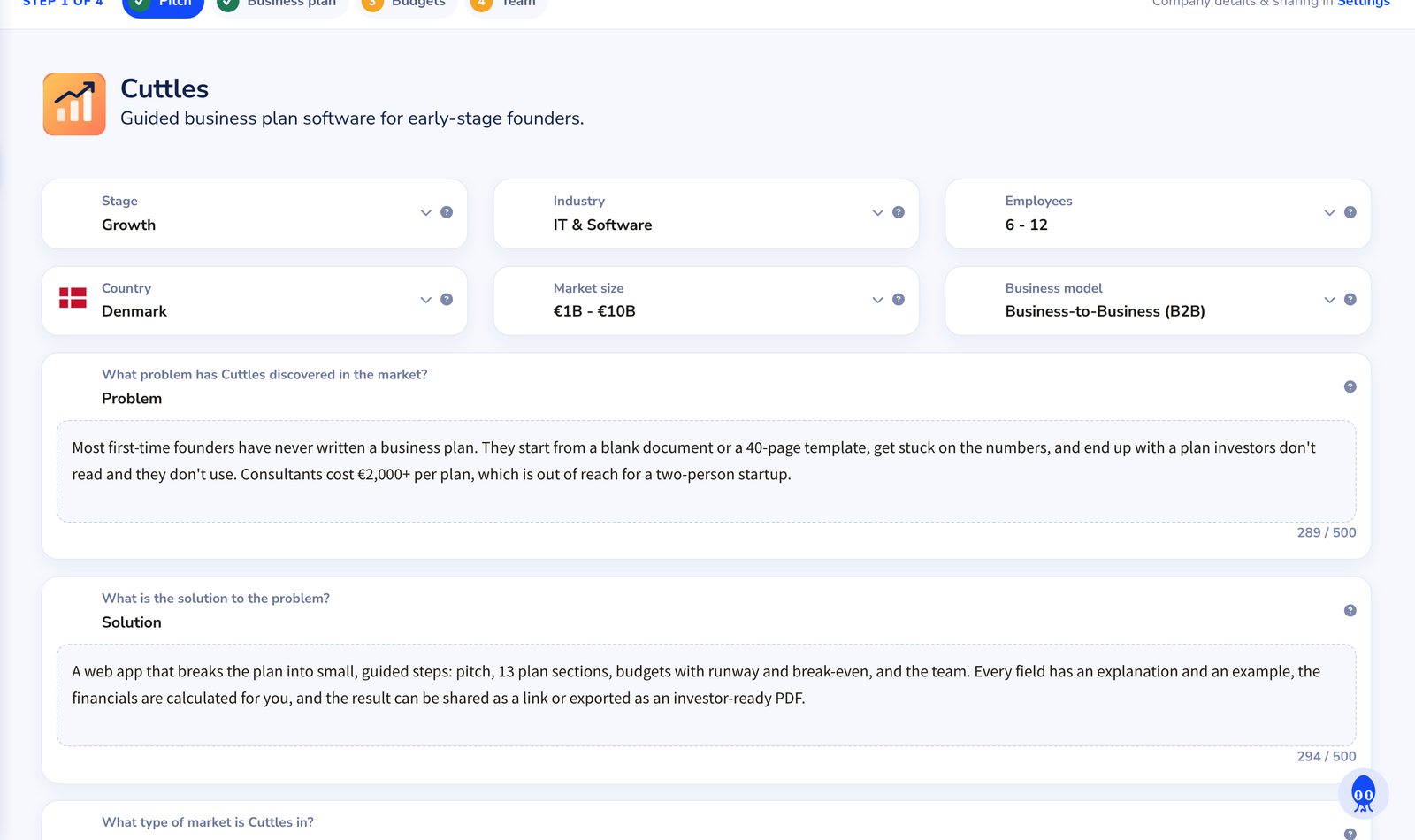
- A guided pitch builder: problem, solution, market, business model, traction and team, each field explained
- A budget that gives you the burn, runway and “ask” numbers for your last slides
- Share your pitch as a live link or a PDF, with an optional password
What Is a Pitch Deck?
A pitch deck is a short slide presentation, usually 10 to 13 slides, that explains what your startup does, why it matters and what you are asking for. Founders use it to raise money from angels, seed funds and accelerators, but also to recruit a co-founder, apply for a program or brief a partner. It is the visual summary of your business, built so that someone can understand the company in a few minutes.
Three things get mixed up here, and separating them makes the work easier:
| The pitch | The pitch deck | The business plan | |
|---|---|---|---|
| What it is | The story you tell, out loud or in an email | 10 to 13 slides that carry that story | The full written document behind both |
| Length | A 30-second version and a 10 to 20 minute version | One idea per slide | 10 to 20 pages plus financials |
| Goal | Get a second conversation | Make the story easy to follow and remember | Answer the detailed questions that come after |
| When you use it | Meetings, demo days, intros | Sent ahead or presented live | Due diligence, grant and program applications |
The deck does not replace the plan. It points to it. If an investor likes slide 5 and asks how you sized the market, the answer lives in your business plan. If they want one written page before a meeting, send a one-page business plan or an executive summary instead of the full deck.
Y Combinator’s Aaron Harris puts the goal of a seed deck plainly: strive for clarity and concision, because at seed there is not much meaningful detail to show, and founders who pretend otherwise lose the investor. Keep that in mind for every slide below.
The 12 Pitch Deck Slides (and What Goes on Each)
Investor decks vary, but most follow the same arc. Sequoia Capital’s published outline and Y Combinator’s seed deck template both move from purpose and problem to market, model, team and money. The order below works for most early-stage startups:
- TitleName and one-line description
- Problem, solution, why nowThe pain, your answer, the timing
- Market and productHow big, and what it looks like
- Model and tractionHow you earn, and proof so far
- Competition and teamAlternatives, and who wins
- Financials and askThe numbers, and what you need
To keep each slide concrete, every section shows an example line from ShiftNest, a fictional startup: scheduling and payroll-prep software for independent cleaning companies with 5 to 40 staff, priced at $39 a month per company. The numbers are illustrative, but they are consistent from slide to slide, which is exactly what an investor checks.
Slide 1: Title
Your company name and logo, a single sentence describing what you do, plus your own name and contact information. Most of the effort here falls on that one-line description. According to Aaron Harris, the title is the only slide that has to remain one slide, while any other topic can expand to two or three slides when it needs the room.
“ShiftNest: scheduling and payroll prep for cleaning companies that run on group chats.”
Slide 2: Problem
Describe who has the problem, what it costs them and what they do about it today. Make it concrete enough that someone outside the industry feels it. “Small businesses struggle with scheduling” is a category. A named customer, a number of hours and a consequence is a problem.
“An owner with 18 cleaners spends about 6 hours a week rebuilding the schedule in a group chat and a spreadsheet, and still misses no-shows until the client calls.”
Slide 3: Solution
State what changes for the customer, as a direct answer to the problem slide. Keep the “how it works” for the product slide. One or two sentences per pain point is plenty. A useful test: read the problem slide and the solution slide aloud back to back. They should sound like a question and its answer.
“Cleaners swap shifts in the app, the owner approves in one tap, and hours flow straight into a payroll-ready export. Our pilot customers cut scheduling time from 6 hours to under 1 hour a week.”
Slide 4: Why now
Sequoia asks founders to explain why the solution has not been built before, and what changed. Good answers point to a shift in technology, regulation, cost or behavior. This slide is optional at the earliest stage, but it answers the question every investor has in the back of their mind: if this is a good idea, why does it not exist yet?
“Nearly every cleaner we interviewed already uses a smartphone for work messages, but the scheduling tools built for large franchises cost too much and take weeks to set up for a team of 18.”
Slide 5: Market size
Show who you sell to and how big that group is, split into TAM, SAM and SOM. Build it from the bottom up: number of customers times what they pay per year. Name the source of each input, and keep your early market to the part you can realistically reach. The free TAM, SAM and SOM calculator does the math, and our guide to defining your market covers the method.
“We start with cleaning companies of 5 to 40 staff in the US. Our working estimate is 40,000 such companies. At $468 a year each ($39 × 12), that is a serviceable market of $18.72 million. Winning 2,000 of them in three years is $936,000 in annual recurring revenue.”
Slide 6: Product
Show the product. Screenshots, a short screen flow or a photo beat a feature list. Walk through one customer’s path: what they see first, what they do, what they get. Keep it to what makes the solution work, not every feature on the roadmap.
Three screenshots in a row: the cleaner’s shift-swap request, the owner’s approval screen, and the weekly hours export with overtime flagged.
Slide 7: Business model
How you make money: who pays, how much, how often, and what it costs you to deliver. If you know your customer acquisition cost and gross margin, show them. At seed, investors mostly want proof that you understand the mechanics, not a 40-row unit economics table. Our guide to revenue models lists the common options.
“$39 a month per company, billed monthly. Hosting and support cost us about $6 per customer a month, so gross margin is about 85%. Customers come from cleaning-industry Facebook groups and a referral credit.”
Slide 8: Traction
Whatever proves people want this: revenue, paying users, growth rate, pilots, letters of intent, a waiting list. State it plainly, with dates. A chart with the axes labeled is worth more than adjectives. If you are pre-revenue, customer interviews, pre-orders and a landing page test still count, and our guide on validating your idea shows how to gather them.
“62 paying companies after 7 months, $2,418 in monthly recurring revenue (62 × $39), and 4 cancellations since launch.”
Slide 9: Competition
List the alternatives your customer uses today, including spreadsheets, group chats and doing nothing. A simple table or a two-axis chart works, as long as the axes are things customers care about. Never write “no competitors”. It tells the investor you have not looked, or that there is no market.
“Today: group chats plus spreadsheets (free, but manual), enterprise workforce suites (complete, but priced and built for 200+ staff), generic calendar apps (cheap, but no payroll export). ShiftNest is the only one built for a team of 5 to 40 at under $40 a month.”
Slide 10: Team
Who the founders are and why they are the right people for this problem. Y Combinator’s template is blunt about it: this slide should be about founders, and investors care far less about your advisors. Two or three lines per founder on what they have done that matters here. Name the gap you will fill with the money, if there is one.
“Ana ran a 25-person cleaning company for six years. Tom built scheduling tools at a delivery startup. First hire: a support lead who speaks English and Spanish.”
Slide 11: Financials
A simple view of the next two to three years: revenue, costs, burn and when you expect to break even or raise again. Put the assumptions next to the numbers. Investors know the forecast is a guess; they want to see that the guess is reasoned and that it matches every other slide. Our guide to financial projections covers how to build one.
“Monthly burn today: $30,000. Plan: 700 paying companies by month 18, which is $27,300 in monthly recurring revenue (700 × $39), close to covering current costs.”
Slide 12: The ask and use of funds
How much you are raising, on what instrument if you know it, what the money pays for and which milestone it gets you to. Harris suggests showing where you will be within a year, ready for the next round. The amount should come from your budget, not from what sounds normal: monthly burn times the months to your next milestone, plus a buffer.
“We are raising $600,000. That is 18 months at $30,000 a month ($540,000) plus a $60,000 buffer. Use of funds: 60% product and support, 30% customer acquisition, 10% operations. Milestone: 700 paying companies and a repeatable acquisition channel.”
After slide 12 you can add an appendix: detailed financials, customer quotes, a product roadmap, cohort data. Keep it out of the main flow and use it to answer questions.
How to Make a Pitch Deck in 6 Steps
The fastest way to a good deck is to not open the slide app until step 4. Design is the last 20% of the work, and it goes quickly once the words are settled.
Step 1: Write the narrative in one sentence per slide
Go through the 12 slides and write a single sentence for each. If you cannot write the sentence, you have found a gap in the business, not in the deck. This outline is also your 60-second pitch: read the 12 sentences in order and you have it.
Step 2: Write the script
Expand each sentence into what you would actually say, about 80 to 150 words per slide. Write it the way you speak. The first draft will sound like a report; rehearsing it out loud will show you which sentences to shorten.
Step 3: Pull the numbers from one source
Market size, price, customer count, burn, runway and the ask should all come from the same budget and plan. Most decks that fall apart in a meeting fall apart on one number that does not match another. If you use Cuttles, the budget calculates burn rate and runway and feeds the Financials section of your plan, so you copy the figures from one place.
Step 4: Design each slide around one message
Kevin Hale’s advice in the YC library is to make slides legible, simple and obvious, and never illegible, complicated or subtle. In practice that means:
- A headline that states the point (“62 paying companies in 7 months”), not a label (“Traction”).
- One chart, one screenshot or three short bullets per slide.
- Font sizes that someone at the back of the room, or on a phone, can read.
- Real product screenshots instead of stock photos.
Step 5: Make two versions
A deck you present live needs fewer words, because you are the narration. A deck you email ahead of a meeting has to stand alone, so it needs complete sentences on each slide. Most founders end up with both: a presenting deck and a send-ahead deck with the same structure.
Step 6: Test it on someone who owes you nothing
Present it to a person outside your industry, then ask them to explain the business back to you in two minutes. Every part they get wrong is a slide to fix. Repeat with a second person after the changes.
Free Pitch Deck Template
Copy this skeleton into your slide tool or your notes. Fill every placeholder before you think about design.
1. Title: [Company]: [what you do, for whom, in under 12 words].
2. Problem: [Customer] loses [time, money or risk] because [cause]. Today they [workaround].
3. Solution: We [what changes for the customer], so they [result, with a number].
4. Why now: [shift in technology, cost, regulation or behavior] makes this possible today.
5. Market: [number] customers × [$ per year] = [SAM]. First target: [segment].
6. Product: [2 or 3 screenshots showing one customer’s path].
7. Business model: [who pays] pays [price] per [period]. Gross margin [%].
8. Traction: [customers, revenue, growth, pilots] as of [date].
9. Competition: Customers use [alternatives] today. We win because [advantage].
10. Team: [Founder] did [relevant experience]. Next hire: [role].
11. Financials: Burn [$/month], runway [months], plan to reach [revenue] by [date].
12. Ask: Raising [amount] for [months] to reach [milestone]. Use of funds: [split].
If you would rather fill it in with guidance next to each field, the Cuttles pitch builder uses the same topics, and the industry templates include a complete example pitch you can copy and rewrite.
How Long Should a Pitch Deck Be?
Aim for 10 to 13 main slides. Fewer than 10 usually means a missing topic (often the ask or the competition). More than 15 usually means one idea spread over three slides. The right length depends on how the deck will be used:
| Situation | Slides | Speaking time | Format |
|---|---|---|---|
| Demo day or pitch competition | 6 to 10 | 2 to 5 minutes | Big visuals, very little text |
| First investor meeting | 10 to 13 | 10 to 20 minutes, then questions | Presenting deck, appendix ready |
| Deck sent before a meeting | 10 to 15 | Read in 3 to 5 minutes | PDF or link, full sentences |
| Accelerator application | As requested | Often a short video | Follow their form first |
Rules of thumb from practice, not fixed rules. Always follow the format an investor or program asks for.
For sending, a PDF is the safe default because it looks the same everywhere. A link has one advantage: it always shows the latest version, so an investor who opens it next month does not see last month’s numbers. Cuttles supports both: a live link with an optional password, and a PDF export with a cover, table of contents and page numbers.
Pitching: How to Tell the Story Behind the Slides
The slides carry the structure. The pitch is what makes someone care. Investors listening to a pitch are weighing two things: how big the return could be, and how likely they are to lose their money. Your story should raise the first and lower the second.
Answer the three risks before they are asked
- Product risk: can you build it, and does it work? Show a working product, a prototype or pilot results.
- Market risk: will enough people pay? Show traction, pre-orders, interviews and a bottom-up market size.
- Execution risk: can this team pull it off? Show relevant experience and what you have shipped so far.
Look at your 12 sentences and mark which risk each one reduces. A slide that reduces none of them is a candidate for the appendix.
Give it a beginning, a middle and an end
The beginning is the problem, told through one customer: Ana’s 6 hours a week in a group chat is easier to remember than “inefficiency in workforce management.” The middle is your answer and the evidence that it works. The end is where this goes if it succeeds, and what you need to get there. Go back to why you started the company; that origin often makes the best opening line.
Explain it to a smart 12-year-old
You know your field. Your audience probably does not. Compare “a platform for decentralized shift allocation with automated labor-cost reconciliation” with “cleaners swap shifts in the app and the owner’s payroll is ready on Friday.” The second one is shorter and easier to picture. If a simpler word works, use it, especially when you or your listeners are not native English speakers. An analogy to something familiar (“like a bank statement, but for your team’s hours”) helps, as long as it clarifies rather than decorates.
Rewrite the script so it sounds like you
Your first script will have the formality of written language. As you rehearse, you will rephrase some lines without thinking. Change the script to match. A pitch that sounds memorized is hard to trust; one that sounds like a founder explaining their company is easy to follow.
Delivering the Pitch Live
How you deliver the pitch rubs off on the listener. A calm, well-timed pitch keeps attention on the business. A rushed, uncertain one pulls attention onto you.
- Rehearse with a timer. Time the full pitch, then cut it to fit the slot with a minute to spare. Most first run-throughs run long.
- Know the first 30 seconds by heart. Nerves are worst at the start. After a strong opening, the rest tends to follow.
- Speak to the slide’s headline, not its bullets. The listener can read. Add what is not on the slide.
- Prepare for the ten obvious questions. How did you size the market? Why will customers switch? What does a customer cost to acquire? What happens if a large competitor copies you? Put the answers in your appendix.
- Answer questions directly. Give the short answer first, then the detail if they want it. “We don’t know yet, and here is how we will find out” is a good answer.
- Close with the ask and a next step. Say what you are raising and what you would like to happen next: a follow-up meeting, an intro, a look at the data room.
- Write down every question afterward. Each one points to a slide that was unclear. Fix it before the next meeting.
Pitch Deck Checklist
Run through this before you send the deck or present it. Each “no” is a question someone will ask you.
- The title slide says what you do in one line a stranger understands.
- The problem names a specific customer and puts a number on the pain.
- The solution slide answers that exact problem.
- Market size is built bottom up, customers times price, with sources.
- The product slide shows the actual product, not a mockup of a mockup.
- The business model states price, who pays and margin if known.
- Traction has dates and units, and charts have labeled axes.
- At least three alternatives appear on the competition slide, including the workaround customers use today.
- The team slide explains why these founders fit this problem.
- Every number matches across slides: customers, price, revenue, burn.
- The ask states an amount, what it pays for and the milestone it reaches.
- Each slide headline states a point, not a label.
- The send-ahead version makes sense without you in the room.
- The file is a PDF or a link, and the file name includes the company name and date.
Pitch Deck Mistakes That Lose the Room
- Designing before writing. A beautiful template with vague words is still vague. Settle the 12 sentences first.
- Too much text. If a slide needs a paragraph, it is two slides, or it belongs in the appendix.
- Top-down market math only. “1% of a $50 billion market” tells the investor nothing about how you get customers.
- Numbers that disagree. 60 customers on the traction slide and 45 in the financials. One mismatch makes a reader doubt every other number.
- An ask with no plan. “We are raising $1 million” without months, milestones and a use-of-funds split sounds like a guess.
- Advisors instead of founders. A wall of logos from people who spend an hour a month on the company does not answer who does the work.
- Hiding the competition. Investors will find the competitors in a two-minute search. Better that you show them first, with your view on why you win.
- Selling adjectives. “Innovative, scalable, disruptive” takes up space and says nothing. Replace each adjective with a fact.
For a real-world reference, our breakdown of the Airbnb pitch deck shows how a short, early deck covered these same slides.
Slide App, Template or Pitch Builder?
You can build a good deck in any slide app. The hard part is the content and keeping it consistent with your plan and numbers. Here is a fair comparison:
| Slide app (Keynote, PowerPoint, Google Slides) | Downloaded deck template | Cuttles | |
|---|---|---|---|
| Cost | Often free or already paid for | Free to paid | From €8/mo on a yearly plan, 7-day free trial |
| Design control | Full | Full, within the template | Fixed layout; you focus on content |
| Guidance on what to write | None | Slide titles, sometimes hints | Explanation for every pitch field, plus example plans |
| Numbers | Typed in by hand | Typed in by hand | Budget calculates burn, runway and break-even |
| Link to the business plan | Separate file | Separate file | Pitch, plan and budget in one place |
| Sharing | File or share link | File | Live link with optional password, PDF export |
If you want full design control, a slide app is the right tool for the final deck, and many founders use both: Cuttles to work out the pitch, plan and numbers, then a slide app for the visual version. Either way, the words should be settled first.

On the Grow and Series plans, each field in the pitch builder has an [AI] Rewrite this and an [AI] Polish button. They work on text you have already written, which is useful for turning a 90-word problem description into the one sentence a slide can hold. When the deck is ready and you start talking to funders, the investor database and the startup grants database show amounts, deadlines and who can apply, and funding match (grants and investors matched to your plan) is coming to every yearly plan. For the money side of the story, read our guide to startup funding options.
Sources
- Aaron Harris, Y Combinator, How to build your seed round pitch deck (slide order, one title slide, team and ask guidance).
- Kevin Hale, Y Combinator, How to design a better pitch deck (legible, simple, obvious).
- Sequoia Capital, Writing a business plan (company purpose, problem, solution, why now, market, competition, model, team, financials).
- ShiftNest is a fictional company. All figures in the examples are illustrative and calculated from the stated assumptions.
Write the twelve sentences first; the slides are the easy part. — Cuttles